 WordPress products
 Joomla products
 Support
 News
News Login
Login6 Best WordPress Table Plugins to Display Your Data

Tables are one of the simplest ways to make information easy to understand online. Whether you are comparing products, showing a weekly schedule, or sharing numbers from a report, a well-designed table helps readers find what they need quickly. On WordPress, tables are especially important because they turn long blocks of text into clear, scannable content that works well on both desktop and mobile.
The challenge is choosing the right plugin. There are many WordPress table plugins available, and they all promise to make data display easier. Some focus on simplicity, others on design, and some on handling large amounts of information. In this article, we look at six popular WordPress table plugins, explain what they do in plain language, and help you understand which type of website each one is best suited for.
Looking for a robust table management solution for client websites?
From pricing tables to product comparisons, this plugin offers powerful features to present
data in a clear and
user-friendly manner.
Get the competitive edge now!
Table of content
Why Use a WordPress Table Plugin?

WordPress includes a basic table block, but it has limits. When your data grows or needs regular updates, a plugin gives you more control. With the right plugin, you can sort columns, search inside tables, reuse the same table in multiple pages, and keep everything organized in one place.
For non-technical users, the main advantage is time. Instead of adjusting layouts manually every time something changes, a table plugin lets you update information once and have it reflected everywhere. This is especially useful for business websites, blogs, and online stores.
Why Use a WordPress Table Plugin?
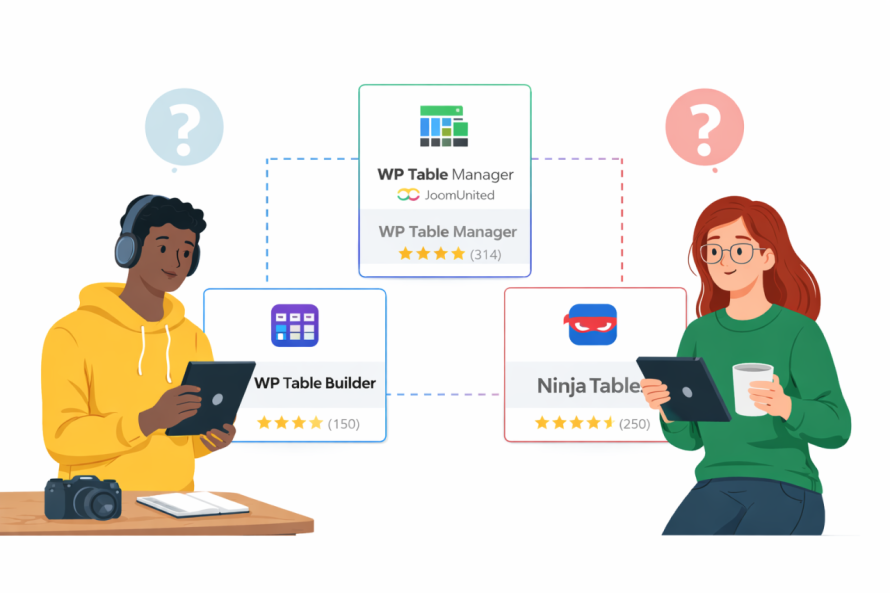
How We Chose These Plugins
This list focuses on plugins that are:
- Easy to use for non-technical users
- Reliable and actively maintained
- Flexible enough for common use cases like comparisons, schedules, and reports
- Popular in the WordPress community
We also compare well-known options such as WP Table Manager, TablePress, Ninja Tables, and Data Tables Generator, while including a solution that offers a broader approach to managing tables across a site.
1. WP Table Manager
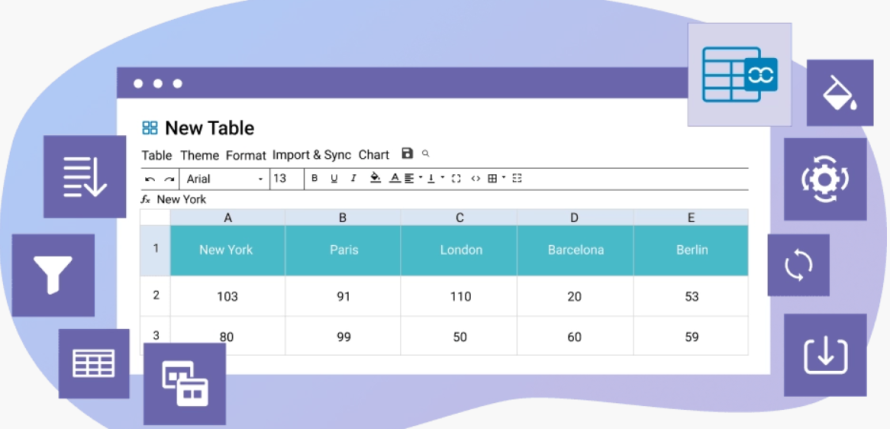
WP Table Manager is designed for people who want to manage tables as easily as working in a spreadsheet. Instead of creating a table one page at a time, you organize all your tables in a central area and insert them wherever you need them on your site.
The interface feels familiar, even if you are not technical. You can add rows, columns, and content with simple clicks. Tables automatically adapt to different screen sizes, which is important for mobile users.
What makes this plugin stand out is how it handles structure. You can store tables in folders, reuse them across pages, and update data without worrying about breaking layouts. This makes it especially practical for websites that rely on regularly updated information.
You can learn more about it here
- Product comparison tables that need frequent updates
- Financial or pricing tables where accuracy matters
- Websites with many tables spread across multiple pages
2. TablePress

TablePress is one of the most widely used table plugins in the WordPress ecosystem. It focuses on doing one thing well: creating clean, simple tables without unnecessary extras.
The plugin lets you build tables in a dashboard area and then insert them into posts or pages using short codes. You can add features like sorting and searching, which are helpful when tables contain a lot of data.
For beginners, TablePress is easy to understand. However, more advanced design changes may require extra add-ons or custom styling, which can be limiting for some users.
Best suited for:
- Blogs that need basic data tables
- Comparison charts with simple layouts
- Users who want a lightweight solution
3. Ninja Tables

Ninja Tables is known for its balance between ease of use and visual appeal. It allows you to create tables using a visual builder, which means you see changes as you make them.
This plugin is popular among marketers and bloggers because it works well for product comparison tables. You can highlight rows, add buttons, and make important data stand out without touching any code.
While Ninja Tables offers a free version, some of its more advanced features are reserved for paid plans, which may matter if your site grows over time.
Best suited for:
- Product comparison pages
- Affiliate marketing websites
- Content creators who want visually appealing tables
4. Data Tables Generator

Data Tables Generator focuses on handling structured data in a clear way. It supports sorting, searching, and pagination, which helps when you have large tables with many rows.
The interface is straightforward, and the plugin does a good job of keeping tables readable on different devices. It may not be as visually flexible as some other options, but it is reliable for presenting factual information.
This plugin is often chosen for informational websites where clarity is more important than design.
Best suited for:
- Financial reports
- Research data
- Long lists that need filtering and sorting
5. wpDataTables

wpDataTables is a powerful plugin aimed at users who work with larger or more complex datasets. It can handle tables created from spreadsheets and allows you to display them in a clean, readable format.
Despite its advanced capabilities, the plugin offers guided setup steps that make it accessible to non-technical users. It also supports charts, which can help turn numbers into visual insights.
This plugin works well for business and data-focused websites that need more than basic tables.
Best suited for:
- Business dashboards
- Financial summaries
- Data-driven content
6. Posts Table Pro

Posts Table Pro takes a different approach by turning WordPress posts and pages into tables automatically. Instead of manually entering data, it pulls existing content and displays it in a structured layout.
This can be very useful for directories, event listings, or resource libraries. Because the content is already in WordPress, updates are simple and consistent.
The plugin is less about traditional data tables and more about organizing content in a table format.
Best suited for:
- Event schedules
- Resource directories
- Content-heavy websites
Common Use Cases for WordPress Table Plugins
Product Comparisons
Tables make it easy for visitors to compare features, prices, and benefits side by side. Plugins that allow highlighting and easy updates are ideal here.
Schedules and Timetables
For classes, events, or appointments, tables provide a clear overview. Responsive design is important so schedules remain readable on mobile devices.
Financial Reports
When sharing numbers, accuracy and clarity matter most. Plugins that support sorting and structured layouts help readers understand the data without confusion.
Calling all webmasters!
Enhance your client websites with WP Table Manager. Easily manage and customize tables, charts,
and spreadsheets,
providing clients with dynamic and engaging data visualizations.
Upgrade your web design services today!
Choosing the Right Table Plugin
Selecting the right WordPress table plugin depends on how often you update your data, how many tables your site uses, and how important consistency is across pages. Some plugins work well for simple tables, while others are better suited for visually rich comparisons or data-heavy reports.
For websites that rely on regularly updated product comparisons, structured pricing tables, or financial data, having a centralized way to manage and reuse tables can make a noticeable difference. A solution like WP Table Manager stands out in this context because it treats tables as an organized content system rather than isolated elements. By allowing you to manage tables from a single dashboard and insert them anywhere on your site, it helps maintain accuracy and consistency as your content grows.
Ultimately, the right plugin is the one that fits your workflow and content needs. Whether you are displaying schedules, comparing products, or publishing detailed reports, choosing a tool that balances ease of use with long-term flexibility will help your data remain clear, accessible, and easy to maintain.
When you subscribe to the blog, we will send you an e-mail when there are new updates on the site so you wouldn't miss them.



Comments